Experience Your Sound, Anywhere. MicReplayer is the bridge between your high-fidelity analog world and your modern wireless lifestyle. Whether you're spinning rare vinyl, practicing your vocals, or simply need to route audio from point A to point B, MicReplayer delivers high quality audio with near-zero latency.
The Vinyl Revolution, Unplugged. Love the warmth of your turntable but hate being tethered to the couch? MicReplayer lets you stream your record player directly to your AirPods, HomePods, or any AirPlay-compatible system. It’s the ultimate upgrade for your listening experience, keeping the soul of analog with the freedom of wireless.
Your Personal Monitor. For vocalists and performers, MicReplayer acts as a high-performance real-time monitor. Plug in your professional microphone and hear yourself through your favorite headphones instantly. With a focus on low latency and 48kHz audio quality, it’s the perfect companion for practice and performance.
Functional Description & User Guide
MicReplayer is a high-performance audio passthrough engine for iOS. It captures audio from any recognized input source and routes it to your chosen output with professional-grade fidelity.
How to Use MicReplayer
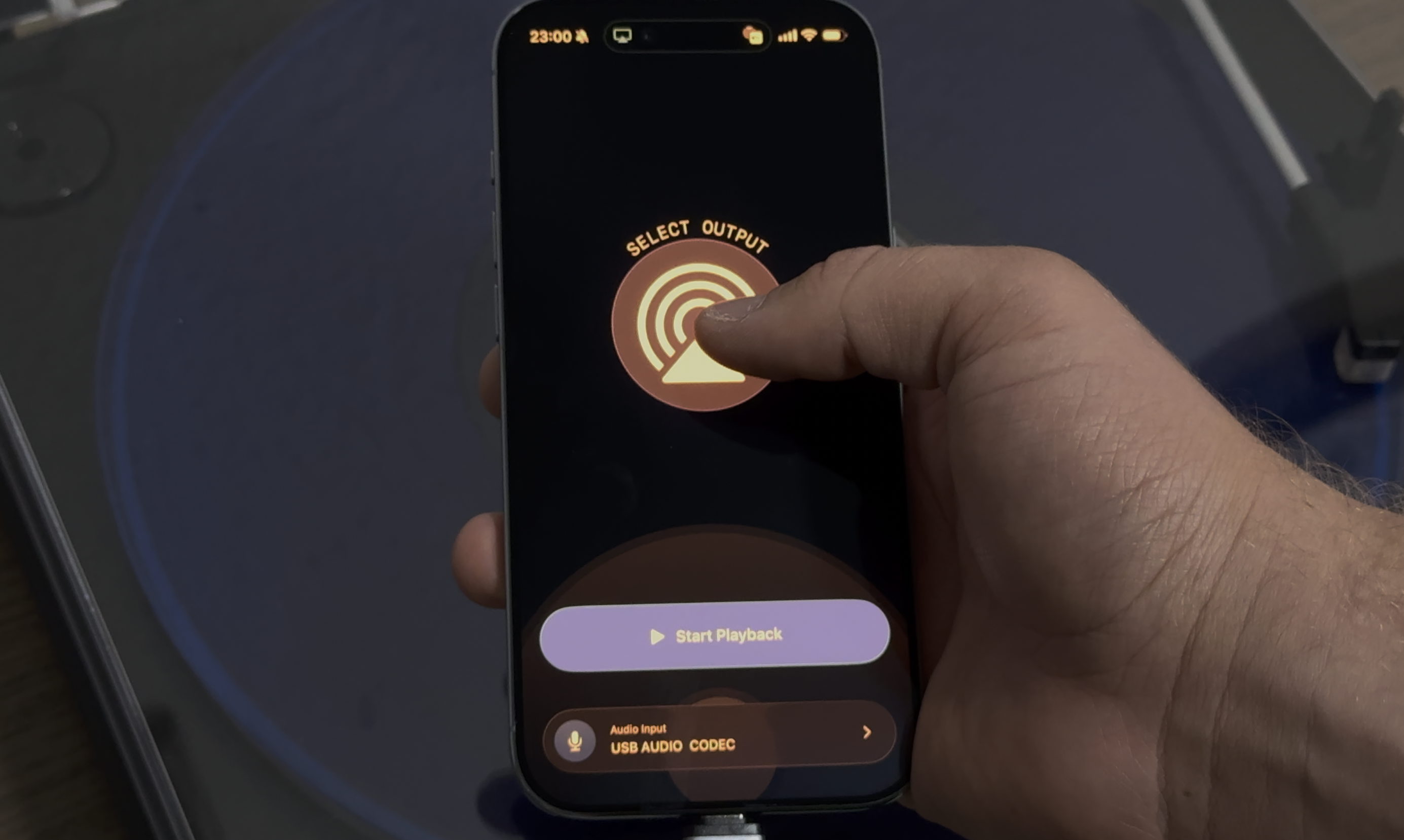
- Select Your Input: Tap the input selector at the bottom of the screen. The app will list all connected audio sources, including the built-in microphone and any external interfaces.
- Pick Your Output: Tap the output circle (top) to choose where you want the audio to go. This includes your device's speakers, Bluetooth headphones (like AirPods), or AirPlay devices (like HomePods).
- Start Replaying: Press the large central play button. The interface will shift into "Active" mode, and you’ll see the spin animation indicating live transmission.
- Control from Anywhere: Once active, you can monitor and stop your session directly from your Lock Screen or Dynamic Island via Live Activities, or use the Control Center widgets.
Specific Use Cases & Requirements
1. The Turntable Setup (Vinyl to Wireless)
Stream your vinyl collection to your entire house.
- Hardware Required:
- A Turntable with a built-in preamp (or an external one).
- An Audio Interface or a Line-In adapter.
- For USB-C iPhones: A USB-C to 3.5mm Headphone Jack Adapter or a USB Audio Interface.
- For Lightning iPhones: A Lightning to 3.5mm Headphone Jack Adapter or a Lightning to USB Camera Adapter (for USB interfaces).
- How to set it up: Connect your turntable's output to your iPhone using the adapter. Open MicReplayer, select the "External Line-In" as your input, and select your "HomePod" or "AirPods" as the output.
2. Real-Time Karaoke & Vocal Monitoring
Practice your singing with real-time feedback.
- Hardware Required:
- External Microphone (USB or XLR with interface).
- Wired Headphones (Highly recommended for zero-latency monitoring).
- How to set it up: Connect your microphone and headphones. Select the microphone as the input and your headphones as the output. MicReplayer provides 48kHz high-quality passthrough so you can hear every detail of your performance without the lag.
3. General Audio Routing
Need to boost a faint sound or route a specific mic to a louder speaker?
- How to set it up: Use the "Basic" setup to route any connected microphone to a Bluetooth speaker or AirPlay system. Perfect for presentations, small gatherings, or as a temporary megaphone.
Technical Specifications
- Sample Rate: 48kHz (Lossless Quality)
- Latency: Ultra-low ~5ms internal processing buffer.
- Connectivity: Supports USB-C, Lightning, Bluetooth (A2DP/HFP), and AirPlay.
- Integration: Full support for Live Activities and Control Center widgets for seamless background operation.
For any questions, always feel free to ask
micreplayer@yannberton.com